I picked up the Epomaker HE68 Lite, turned it over in my hands, and immediately clocked what I was working with. This gaming keyboard is small. Not in a “minimalist aesthetic” kind of way, but in a “you’re losing keys, hope you’re ready” kind of way. It is light, clearly built around a budget, and it does not try to disguise that. First impression, it felt like a keyboard that was going to live or die entirely on how it performed once I actually put it to use.
Videos by ComicBook.com
So I did. I ran it through long gaming sessions, used it for writing, everyday browsing, and anything else I would normally do without thinking twice. I did not treat it like a novelty or a secondary board. I treated it like something that had to earn its spot. And over time, that initial skepticism started to shift. Not all at once, but enough that I stopped questioning it and started relying on it.
Rating: 5/5
| Pros | Cons |
|---|---|
| Adjustable actuation adds real, noticeable control to both gaming and typing | Lightweight plastic build lacks a premium feel and has slight hollowness |
| Strong performance with fast, consistent input response across extended use | Requires Epomaker software to unlock its best features and full customization |
| Compact 65% layout frees up desk space without feeling limiting | |
| Plug-and-play setup makes it easy to get started immediately | |
| Excellent value especially with Hall Effect features at its asking price |
I Thought the Size Would Be a Problem. It Wasn’t.

The size made an impact immediately, but not because it looked good on a desk. It changed how I actually played and worked. With less keyboard taking up space, I had more room for my mouse, which made a real difference in games that rely on wider movements and quick adjustments. I was not bumping into the keyboard or compensating for its footprint. It stayed out of the way in a way that actually improved comfort over longer sessions.
I went into this expecting the layout to trip me up at some point. That never really happened. The 65 percent layout keeps the keys you actually use and cuts the rest without making it feel incomplete. After a short adjustment period, I stopped thinking about what was missing and just worked within it. That transition happened faster than I expected, which says a lot about how usable the layout is.
The build is where you feel the $49.99 price point the most. It is lightweight, and there is a noticeable hollowness when you are paying attention to how it sounds and feels. It does not have the dense, premium feel that more expensive boards lean on. At the same time, it stayed stable during use and never felt like it was struggling to keep up. It feels like a budget keyboard in your hands, which makes sense at $49.99, but importantly, that cost saving does not carry over into performance..
After putting time into it, the size stopped being a concern and started being one of this compact board’s strengths. Its size actually benefits how you use your setup, and while this probably won’t be apparent initially, spending time with it proved to me that this is the case.
Actuation Control That Actually Matters
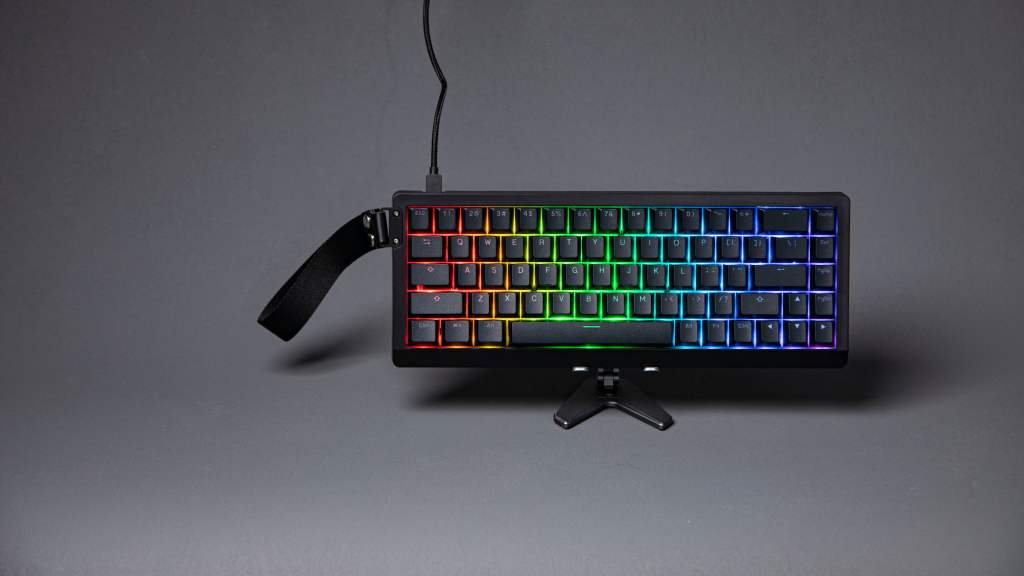
Beyond its small stature, the Hall Effect switches are one of the primary reasons the HE68 Lite stands out.. I spent a good amount of time adjusting actuation to see how much of a difference it would actually make, and it is not subtle. This is not a feature you ignore after five minutes. It directly affects how the keyboard behaves.
Lowering the actuation made inputs trigger extremely quickly. In games, that translated to faster reactions and a more immediate connection between input and action. It felt sharp and responsive, almost to the point where I had to dial it back slightly to avoid accidental presses during typing. Once I found the right balance, it became a clear advantage.
Increasing the actuation changed the experience completely. It forced more deliberate presses, which made typing feel more controlled and reduced mistakes over longer sessions. It slowed things down slightly, but in a way that felt intentional rather than limiting. Being able to shift between these two extremes on the same keyboard is what makes this feature stand out.
After testing different setups, it was clear to me that this is where the HE68 Lite earns its value. Adjustable actuation is not very common in keyboards, yet, the HE68 makes it one of its biggest strengths. It is not just a bonus to its compact nature. If you are someone who likes to tweak how your inputs feel, or you play games where reaction time matters, this is where the HE68 Lite stands out. If you do not care about that level of control, the feature might feel excessive, but for the right user, it is the main selling point.
Performance That Holds Up When It Counts
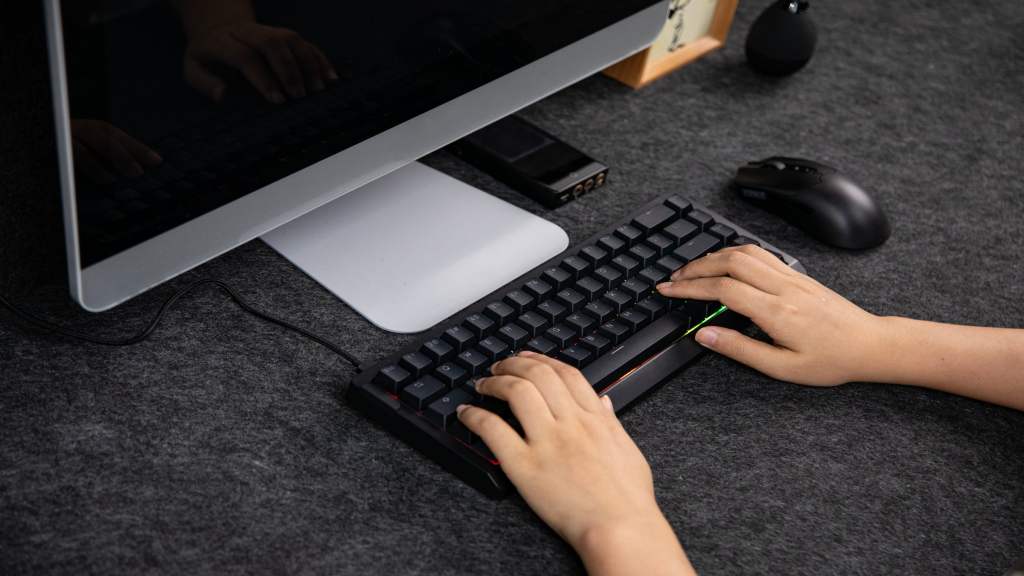
Putting the HE68 Lite through extended gaming sessions is where it needed to prove itself, and it held up well. Inputs registered cleanly and consistently, even during longer sessions where small issues usually start to show. There was no noticeable delay or inconsistency in how it responded. That reliability is what you want when you are actually relying on a keyboard in the long term, not just testing it.
The combination of fast response and adjustable actuation made a difference in how inputs felt during gameplay. Movements felt tighter, and actions felt more precise, especially in situations where timing mattered. It did not feel like the keyboard was catching up to me or introducing hesitation. It stayed consistent, which made it easier to trust.
Rapid trigger also played a role here. During testing, it made repeated inputs feel smoother, especially in games that required quick directional changes or frequent key presses. It is not something that stands out immediately, but over time it becomes part of how the keyboard feels. It removes a small layer of friction that you notice once it is gone.
Outside of gaming, performance stayed consistent. Typing and general use felt just as reliable, with no drop-off in responsiveness. It provided me with consistency across different use cases, and that is important, especially for a keyboard that is meant to do more than just one thing.
Plug and Play, But Not the Full Experience
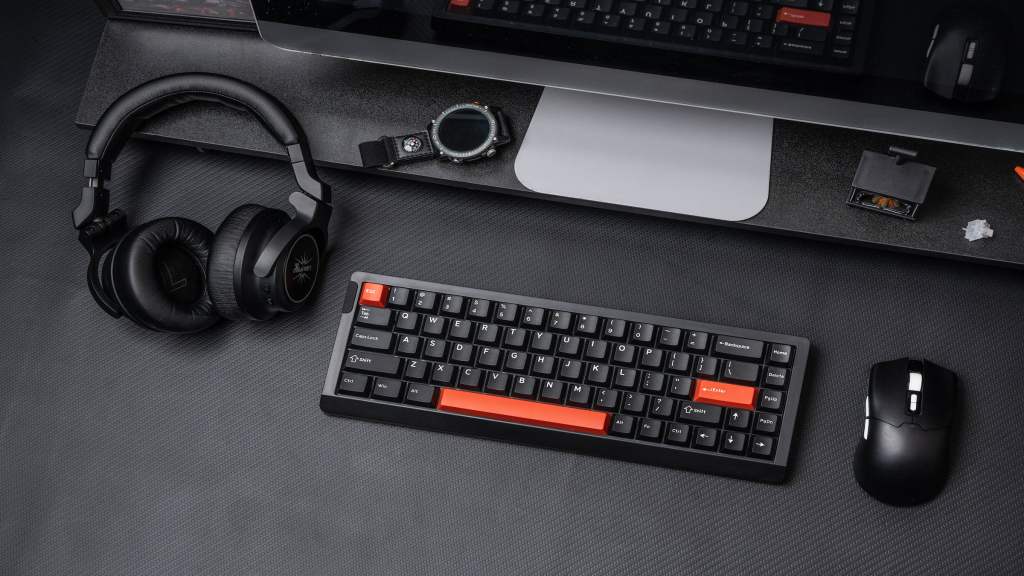
Getting started with the HE68 Lite was simple. I plugged it in and was able to start using it right away without dealing with any real setup issues. It is very much plug-and-play and that functionality matters. It worked immediately when I plugged it up, which is exactly what you want in your hardware before tweaking anything else.
That said, it became clear pretty quickly that to actually get the most out of this keyboard, I needed to install the Epomaker software, which allows for far more specific customization and personalization of the board. Out of the box, it performs well, but it is not showing everything it can do. Features like adjustable actuation and custom macroing of keys are tied to the software. Without it, you are using a much more limited version of the keyboard.
Once I installed the software, the difference was immediate. I was able to fine-tune actuation, adjust responsiveness, and experiment with different configurations in a way that directly impacted performance. The interface was simple enough that I could make changes quickly without interrupting what I was doing. That made it easier to test and refine settings in real scenarios.
Strong Value with Clear Trade-Offs
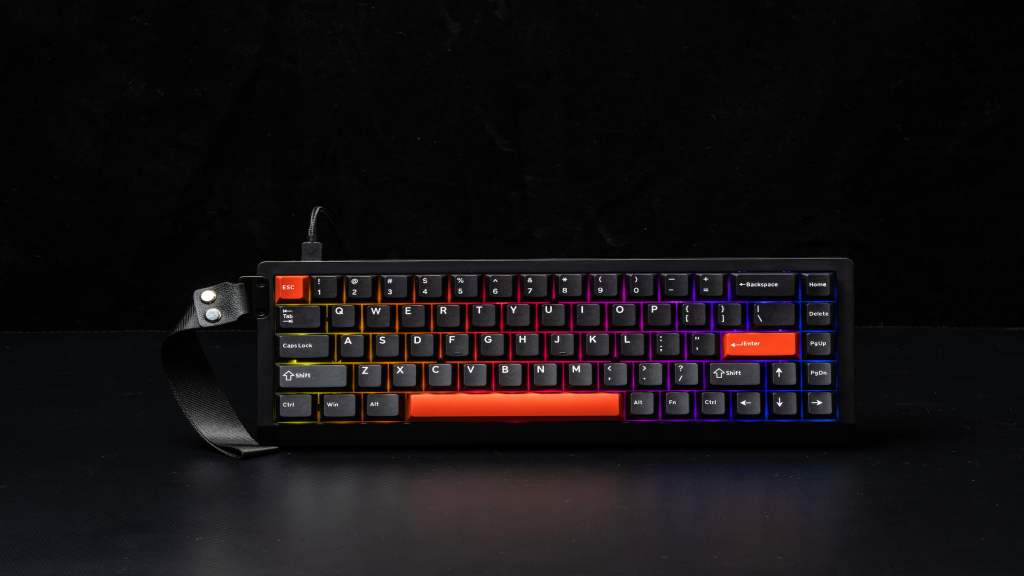
At $49.99, the HE68 Lite is competing in a space where most keyboards are either basic or cutting corners in ways that affect performance. What stands out here is that Epomaker chose to prioritize features that actually change how the keyboard feels to use. The adjustable actuation alone puts it in a different category than most boards at this price.
The trade-offs are clear. The plastic build does not feel premium, and there is a slight hollowness that never fully disappears. It is also not designed for heavy hardware customization, so what you get out of the box is largely what you will be using long term. Lastly, the lack of a numpad might be off putting for some. Those are limitations, but they are easy to understand given the price.
What matters more is that it performs where it needs to. It is responsive, consistent, and offers a level of control that is hard to find at $49.99. After putting it through its paces, this feels like a keyboard that understands its role. It is compact, responsive, and built around features that actually matter. At it’s affordable price point, it makes a strong case for itself if you care more about performance and customization than premium materials. It may not impress you in the first five minutes, but it earns its place the longer you use it.
This product was provided to ComicBook for this review. The HE68 Lite Gaming Keyboard is available for purchase on Epomaker’s official website.
What do you think? Leave a comment below and join the conversation now in the ComicBook Forum!
More Gaming
-

Image Courtesy of Electronic Arts -

Courtesy of Blizzard