Don’t let the cute dolphin fool you.
Want more like this? Get the latest drops, ratings, reviews, and more with the ComicBook Gear Review newsletter — straight to your inbox.
Videos by ComicBook.com
At first glance, Flipper Zero looks like something you’d find in a retro electronics store between a Tamagotchi and a TI-89 series graphing calculator. It has a tiny pixelated screen, a chunky directional pad, and an animated dolphin mascot that reacts to how much you use the device. Does it toe the line of IP infringement? I don’t know… but I do know it’s adorable. And that’s kind of the joke, because underneath that cheerful, pocket-sized exterior is one of the most capable wireless multi-tools you can (legally) carry around.
Flipper Zero is designed to interact with the digital systems hiding in plain sight all around you, like RFID access cards, garage door remotes, NFC tags, infrared signals, and sub-GHz radio protocols. The kind of stuff that powers your office keycard, your smart TV, and probably half the IoT devices sitting on your home network right now. It’s built primarily for developers, security researchers, and the kind of DIY tech enthusiast who has a Raspberry Pi project half-finished on their desk at this very moment. (No judgment. Mine has been “almost done” for about two years.)
The device launched via Kickstarter and promptly went viral in hacker and maker communities, raising millions and building a passionate open-source ecosystem that’s still growing today.
I came into this review with a fair amount of DIY tech background thanks to standing up private Garry’s Mod servers (a million years ago), early DVR and security camera setups (before Ring was even a thing), and Home Assistant automations that came with Raspberry Pi tinkering. It’s been a few years since I’ve been deep in that world, but I could still navigate Flipper Zero out of the box without completely embarrassing myself. Mostly.
On that note, be warned: this review is a bit techie-er than most of my write-ups. That just comes from the nature of the device.
TL;DR: My Quick Verdict
- Buy it if: You love tinkering with hardware, IoT devices, and open-source tools and don’t mind a learning curve.
- Skip it if: You want something that works intuitively out of the box without forum-diving.
- Biggest strength: Tons of versatility packed into a device that fits in your pocket.
- Biggest drawback: The learning curve will hit you immediately.
First Impressions: Surprisingly Charming, Deceptively Deep
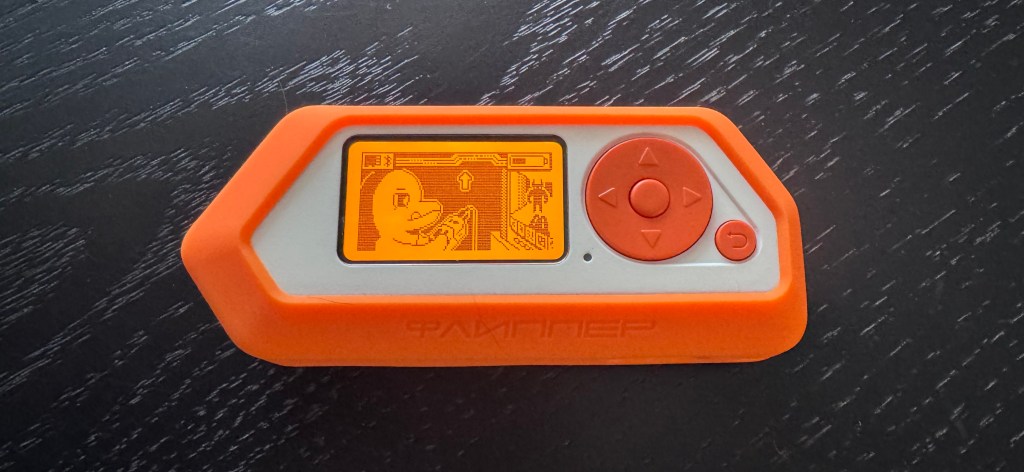
The hardware itself is compact and satisfying to hold. My sample came with the orange silicone bumper, which helps keep the Flipper Zero a little more protected.
The retro LCD screen has a certain old-school charm to it, the directional controls feel responsive, and the whole thing feels very sturdy without being heavy. It works completely standalone without a PC, though you can connect via Bluetooth or USB to expand your options and update firmware. And, in fact, I use the iOS app pretty much hand-in-hand with the device because it makes updates and installations a lot easier.
The UI is intuitive enough, especially if you grew up navigating folder-based interfaces on MP3 players (before iPhones and Androids came into the picture). Within the first hour, you’ll be poking through menus, scanning nearby signals, and watching your little dolphin mascot get increasingly happy as you interact with the device. That Tamagotchi energy is easily felt, and it makes the whole experience feel a bit more playful than intimidating.
BUT… that approachable surface hides a much steeper drop underneath.
The Learning Curve Is Real (And That’s Kind of the Point)
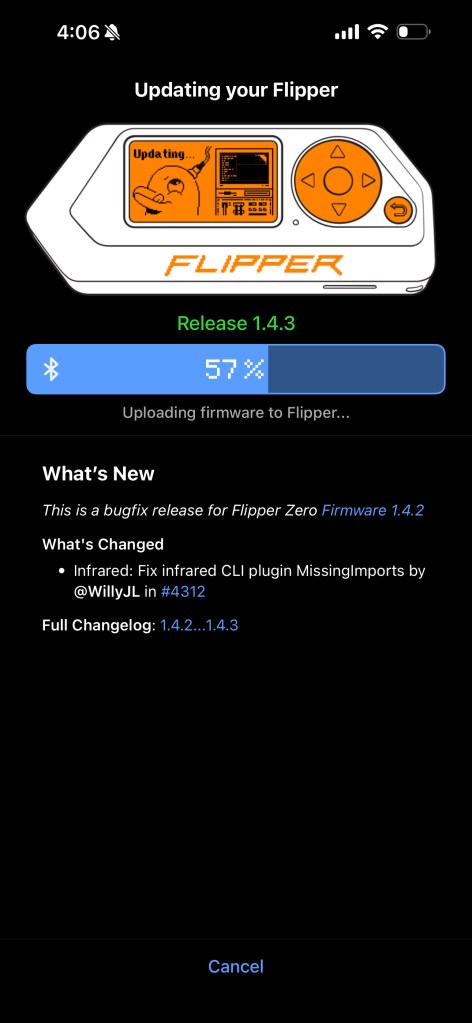
I spent two full days going through GitHub repos, community tutorials, YouTube demos, and forum threads before I felt like I was actually using Flipper Zero to its potential. Calling it a “Tamagotchi for developers” isn’t wrong per se, but it dramatically undersells how deep the rabbit hole goes.
The device becomes exponentially more capable once you tap into the community ecosystem. There, you’ll find custom firmware, experimental apps, hardware add-on modules, and an active developer community that’s constantly pushing the boundaries of what the thing can do. Out of the box, it’s useful. With community support, it’s a completely different animal. If that level of DIY is what you live for, great! If not, you’ll probably become exhausted long before you even get to use the Flipper Zero effectively.
What I Actually Tested
Garage Door Remote
Seeing as how it’s included in all of their marketing, this was probably the most practical test I ran. Flipper Zero can interact with sub-GHz wireless devices, which includes a huge range of garage door openers and IoT sensors. Watching it read and interact with a signal that I’d never given a second thought to before was so much better than trying to pair a traditional universal remote and hoping for the best. I could actually see that something was working.
Universal Remote (My Personal Favorite)
This one earned Flipper Zero a permanent spot on my desk. The device includes an IR transmitter and can learn signals from existing remotes, which means you can essentially replace a pile of remotes with one little gadget. I tested it with my TV and FINALLY replaced my old Lightning-era Apple TV remote, which is something I’d been meaning to do for a long time.
Fun Stuff: Games and Apps
Because Flipper Zero also has community apps, I spent a little time with a Pomodoro timer and even a Flappy Bird clone. While my main goal is to use it as a productivity tool, this device brings a lot of joy and exploration as well. (It also comes pre-installed with a Snake game, which gave my ol’ Nokia-nostalgic heart plenty of joy.)
Pet Microchip Scanner (The MOST Important One!)
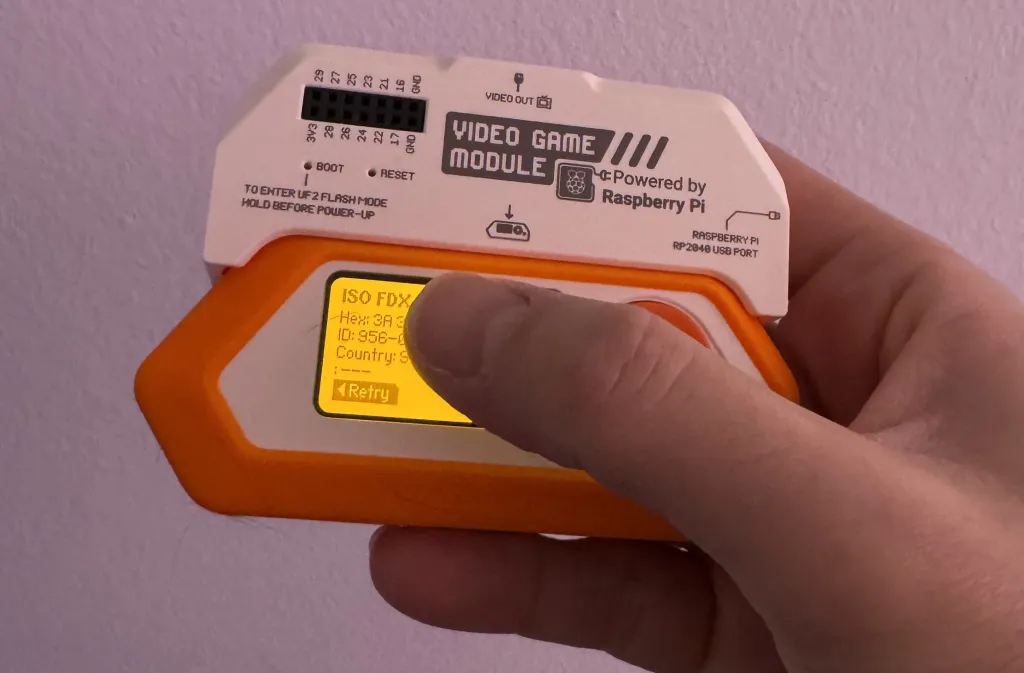
Without a doubt, this is the biggest reason for me to have a Flipper Zero. It has the ability to scan RFID pet microchips and retrieve the embedded ID number, which can then be checked against pet recovery databases. Ask anyone who knows me: I will stop for every stray dog I encounter. So the idea of carrying something that could help reunite a lost pet with its owner is huge. And I can confirm it works. I had trouble locating the chip on my larger 60-pound dog, but on my Peekapoo? It found the tag immediately. Such a huge win for finding the homes of dogs who have escaped their yard.
What Surprised Me (and Where It Falls Short)
The sheer range of what this device touches is unbelievable. Sub-GHz radio. NFC. RFID. Infrared. Bluetooth. Each one of those is a doorway into a different ecosystem of devices and protocols. The community support amplifies all of it, with new apps and firmware updates dropping regularly.
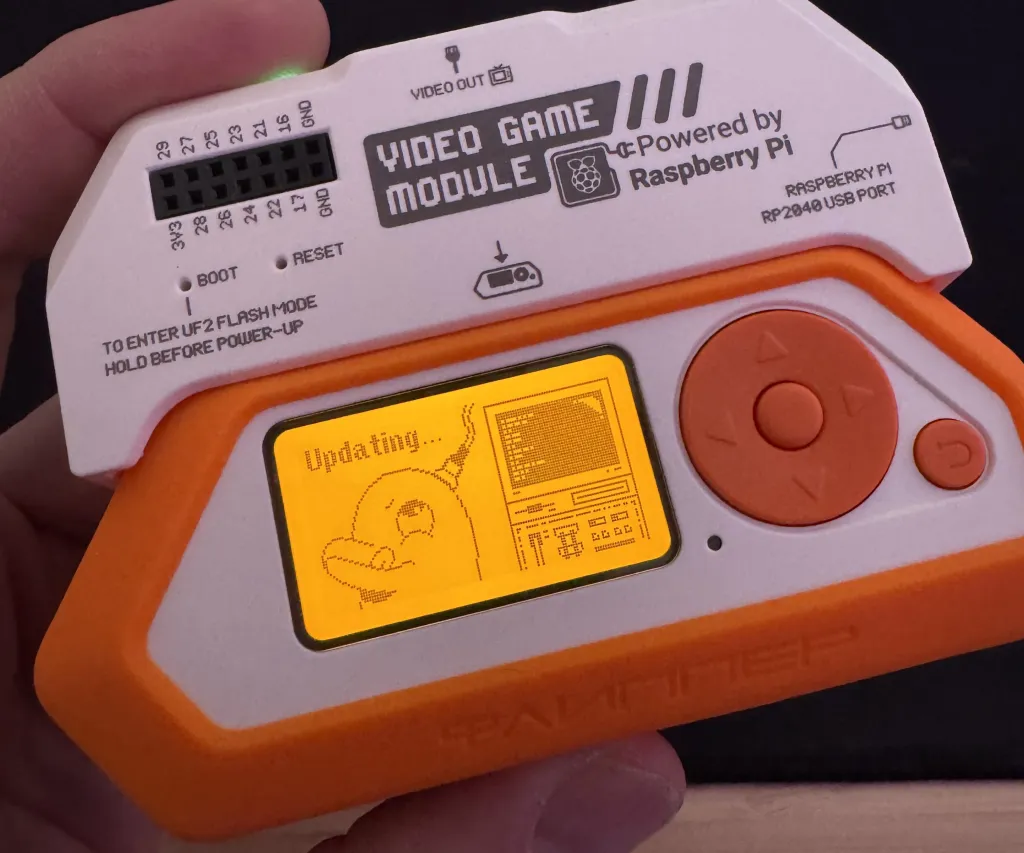
Another accessory worth mentioning is the optional Video Game Module, which expands the Flipper Zero with a Raspberry Pi-powered add-on designed for video output and motion-based controls. It lets you expand the device’s tiny screen to a TV or monitor.
Flipper Zero is 100% NOT a mainstream consumer gadget. Some features require digging through documentation, custom firmware installs, or community forum threads to get working. If you’re expecting an Amazon device-level setup experience, you will be disappointed. This is hardware for people who enjoy the process of figuring things out.
I think there’s also room for security considerations. With any device, there are bad actors. Flipper Zero is designed primarily for hardware experimentation and security testing, but as with any powerful tool, responsible use matters.
Flipper Zero at a Glance
Best For: Developers, cybersecurity learners, hardware tinkerers, and DIY tech hobbyists
| Pros | Cons |
| Extremely versatile wireless multi-tool | Steep learning curve |
| Active, passionate open-source community | Some features need community firmware |
| Fully standalone and portable | Overkill for casual users |
| Surprisingly fun UI and ecosystem | Limited plug-and-play functionality for beginners |
What Actually Matters When You’re Buying Something Like This
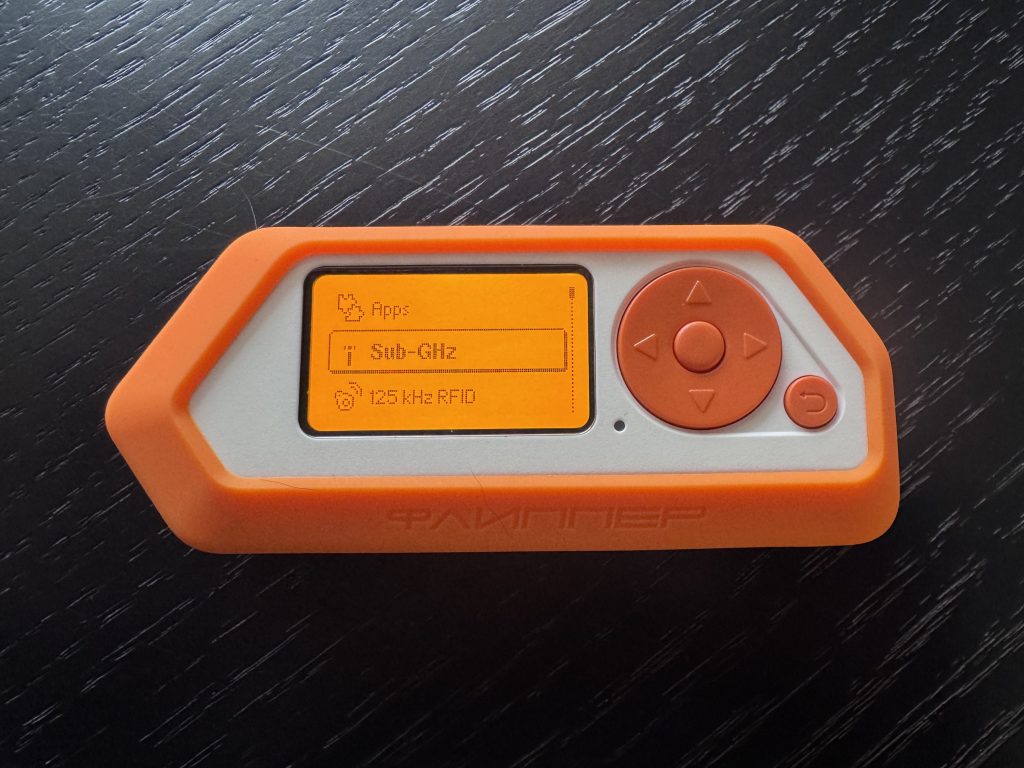
The Flipper Zero is open-source, community-driven by design. The platform continuously evolves through apps, hardware modules, and third-party firmware, making it far more than a static gadget you’ll tire of. The hard part might be finding excuses NOT to use it, at least every now and then.
If you’re the kind of person who gets excited about open-source projects, enjoys pulling apart how everyday tech works, and doesn’t mind spending multiple hours on GitHub to unlock a device’s or application’s full potential, this thing will reward you in ways most gadgets simply won’t.
But if you’re expecting instant results and a simple setup experience out of the box, you’ll bounce off it pretty quickly. And that’s okay! It was never really built for you.
For the tinkerers, the developers, and the hardware nerds who love a good rabbit hole, Flipper Zero offers up a world of experimentation. The dolphin coinhabitant is just a bonus.
A test product was provided to ComicBook for this review. The Flipper Zero is available now from its website, with lots of accessories for the device available on Amazon.
Most Viewed
-

Official art by Bastien Lecouffe-Deharme -

Image Courtesy of MAPPA -

Image Courtesy of DC Comics