Pokemon may hold the crown for best-known creature collector, but the genre has spawned a ton of other great games in recent years. However, it can be tricky for creature-collecting games to step out of Pokemon’s shadow. In fact, many of them incorporate similar elements, with their own unique twist. And in the case of EvoCreo, that twist is ensuring that the game stays every bit as challenging as old-school Pokemon titles and then some. The game was released for mobile back in 2015, but is now arriving on PC via Steam on January 7th.
Videos by ComicBook.com
At first glance, EvoCreo‘s pixel graphics and general premise certainly make it look like a clone of early Pokemon games. And there are plenty of similarities here, as you take a journey to collect and train creatures and become the very best. But EvoCreo puts its own spin on battling and world exploration, delivering the kind of difficulty that many modern Pokemon games lack. Despite a few snags in the PC port, EvoCreo is likely to scratch that “make Pokemon hard again” itch for fans.
Rating: 3 out of 5
| Pros | Cons |
|---|---|
| In-depth battling system offers a challenge ideal for fans of early Pokemon | Not optimized for full-screen play on PC |
| Interesting and unique Creo designs make collecting exciting | Some controls are poorly translated from mobile to PC |
| World exploration is immersive and engaging | The difficulty curve can be a bit uneven at the start |
| Attractive pixel art style with compelling battle animations | |
| Great amount of gameplay content for the price |
EvoCreo Offers Up Impressively Complex Battle Mechanics

As with many creature-collecting games, battling is a core part of EvoCreo‘s gameplay. And for those who like a strategic challenge, this is the highlight of the game. Creo can learn a variety of moves, abilities, and skills as they level up. And you have access to their full list of learned moves at any time, offering options to swap in and out to suit various strategies and situations. This gives players a bit more to work with, as each Creo can be tailored to different strategies and even typings in battle.
Individual Creo have types, as does each move. Many are dual-type creatures, with a complex set of strengths and weaknesses. Though there aren’t as many different types as a game like Pokemon, there are many potential combinations. And because the leveling is fairly well balanced, you’re going to need to rely on type advantages to get through some of the game’s tougher battles. No leveling your starter like crazy and plowing right through.
One unique aspect of EvoCreo compared to other creature collectors is that different moves fall into specific categories. You have Normal moves, Elite Moves, and Healing moves. The Elite Move is a high-powered attack that takes longer to charge back up compared to Normal moves. Meanwhile, the Healing moves for every Creo help it restore its own HP in battle, and can offer other buffs as well. This adds an interesting new layer to battles, as each creature will have slots for 1 Elite Move, 3 Normal Moves, and 1 Healing Move to fill out. Each move has a different amount of time it takes to recharge, so you need to strike the right balance to ensure your Creo are battle-ready.
This game has a lot of battles. So, if you like battling and trying out different strategies, this is going to scratch that itch. You will face off against 3-4 trainers in most new towns before taking on that area’s top-tier trainer to earn a Key. And the routes between towns feature plenty of trainers and wild Creo to battle, as well. You will need a lot of healing items to get through this in my experience, but it’s certainly ideal for fans of old-school, turn-based creature battles.
As a PC Port, There Are Still Snags for EvoCreo to Iron Out
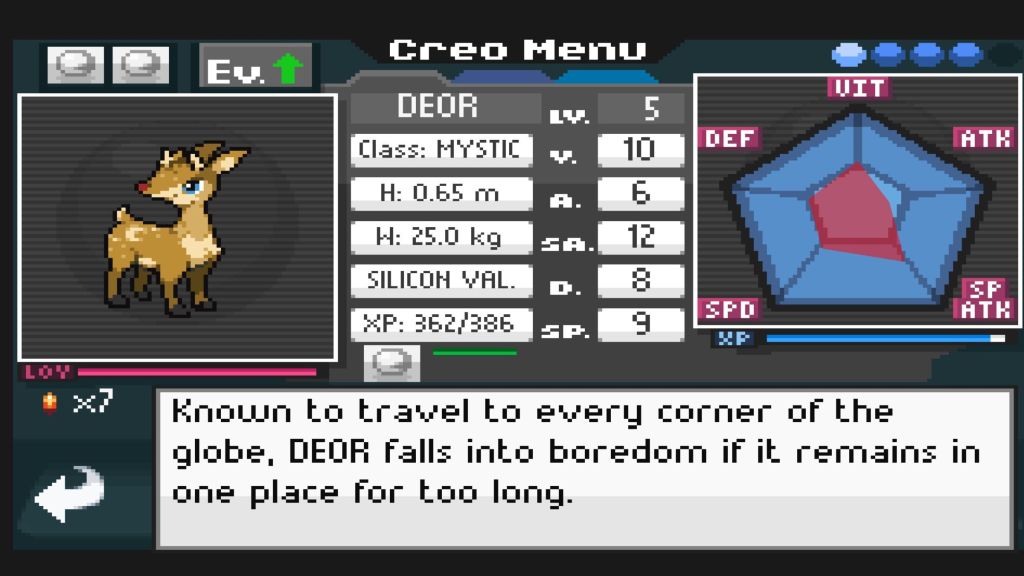
PC ports of mobile games can be tricky, and EvoCreo isn’t immune to some of these pitfalls. The game boots up in a relatively small windowed mode. You can make it full screen, but it’s clearly not optimized for that – the art winds up looking weirdly stretched out. Personally, I don’t like to play PC games in windowed mode, as it breaks the immersion for me.
There are a few other, similar snags that hold EvoCreo back. Certain menu features, including paging through your Creo’s info, still require a “swipe” motion. With mouse and keyboard, the only way I could find to view additional pages was by clicking and dragging. This isn’t intuitive at all, and can be tricky to figure out. Given that you need to swipe through these menus to change your Creo’s moves and abilities, it’s quite frustrating trying to figure out how these controls work.
I also encountered a few minor glitches with the game. When using certain items, primarily healing ones, you wind up consuming 2 items for every 1 you actually use. This means depleting your store of healing way quicker than you intended. Once you realize it’s happening, you can just buy double the amount, but given the high cost of some items, this isn’t ideal.
Getting Started with EvoCreo Can Be Tough, But Old School Pokemon Fans Might Love It
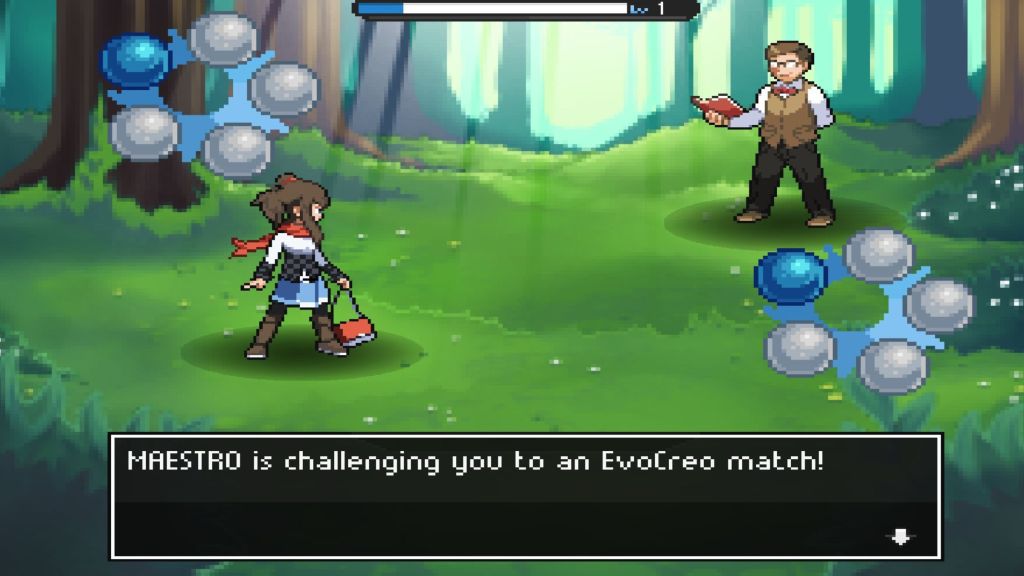
Getting settled into EvoCreo can take some time, especially with the PC port. Most of the tutorials are located in your in-game menu to read through, rather than being played through as you go. If this were the 10th game in a long-running series, that would be nice for returning players. But some elements, like how to navigate the world and change Creo moves and abilities, can be tricky to figure out at first.
That said, navigating the world is pretty interesting. You’ll need to find Creo with specific abilities, such as Glide, to access certain areas. This brings to mind the exploration of early Pokemon games, where getting to certain places is a puzzle in and of itself. You can also Dig to explore underground areas and Ride many of the bigger Creo, which is a fun added layer. Pokemon fans who miss the HM mechanic will almost certainly enjoy using Creo Abilities to explore the world.
Alas, that world doesn’t always reward exploration as you might want. You can enter many buildings and speak to almost every NPC. Some of them have fun and interesting dialogue, but it rarely adds anything of significance to the story. And those trash cans? You can’t look inside them. Indeed, exploring within towns doesn’t tend to offer much of anything in the way of items. I missed out on talking to people and getting surprise gifts, offers to trade, and other reasons to actually make me want to explore.
Along with that, EvoCreo’s difficulty curve can be a bit tricky early on. There aren’t a ton of opportunities to level up your Creo as you travel to the first town, so it’s quite easy to be underleveled when taking on the first battle arena. This is especially true because EvoCreo doesn’t use XP share. The only Creo that earn XP during battles are the ones that actually make their way onto the playing field. So, you will need to lean into the grind to get a steady team of Creo to defeat the first area boss. After that, the game’s challenge somewhat evens out, but it never gets too easy. For Pokemon fans who miss the steeper difficulty and the lack of XP share, EvoCreo is one to check out, if you can look past some of the issues with its PC port.
EvoCreo releases for PC via Steam on January 7th. It is expected to cost $9.99. A PC code for EvoCreo was provided by the publisher for the purpose of this review.
Most Viewed
-

Official art by Bastien Lecouffe-Deharme -

Image courtesy of Tor Books/Macmillan -

A photo of the Retrovolt Arcade taken in 2017, showing several classic arcade cabinets and stools. -

Courtesy of TOHO Animation