Here I am, writing this review in real-time on my flight as I head to PAX East 2026 — my first time at a PAX event in three years. The excitement is real, but I still have to keep it locked in for writing up my coverage.
Want more like this? Get the latest drops, ratings, reviews, and more with the ComicBook Gear Review newsletter — straight to your inbox.
Videos by ComicBook.com
And that extends to my previously assigned tasks… which includes this review of the RayNeo Air 4 Pro.
Let me paint you a picture of the current situation. I’m sitting in a window seat, wearing a hat with an oversized hoodie, hood up. My earbuds are in. Laptop on the tray table, with my phone plugged into the in-seat charger (VERY much appreciated). And what’s plugged into my laptop? Another cord that makes its way to my RayNeo Air 4 Pro wearable display glasses.
My guess is that it’s quite a sight to see. That theory comes directly from the raised-eyebrow looks that just came from my row mate and the flight attendant collecting her empty coffee cup. I chuckled a bit, having caught the looks from my peripheral.
But this review isn’t going to write itself. So, here I am, looking like the snarky hacker from the latest action/adventure movie (or maybe Bruce Wayne, thanks to me testing out the special Batman Edition of the glasses), and using the RayNeo Air 4 Pro as a second laptop screen, which in and of itself is a big bonus. On an airplane, at least.
The RayNeo Air 4 Pro is a lot of fun, and is great… in doses. I think the jury is still out on digital wearables. But it’s still (arguably) early days for that industry. And with VR and AR peripheral tech continuing to get better, the RayNeo Air 4 Pro certainly has an early seat towards the front of the table.
TL;DR — My Quick Verdict
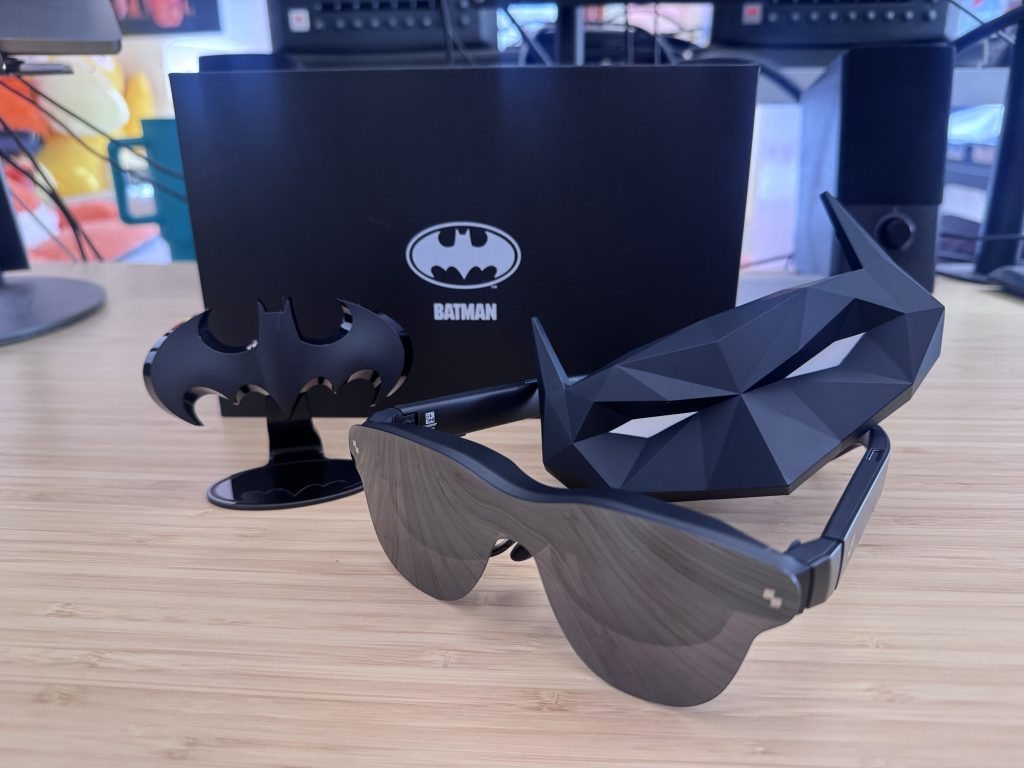
If you’re a traveler, gamer, or media lover who wants a flexible big-screen experience at a reasonable price point, the Air 4 Pro is worth consideration. If you’re expecting all-day productivity or full AR functionality, you’ll want to pump the brakes. The HDR10 display quality at $299 is the headline achievement here, because nothing else in this category really touches it at this price. But the best use cases are hyper-specific for media consumption, and this isn’t an all-day wear for everyone.
Performance & Real-World Experience
The RayNeo Air 4 Pro isn’t the kind of device you can evaluate during a 3-hour flight. In addition to the flight, I ran the Air 4 Pro through multiple extended sessions at home, including watching TV and movies, light productivity work, and gaming display use. If you’re the traveler, the gamer, or the media enthusiast this device is built for, here’s what you’ll likely experience as well.
What Works
The first thing that earns trust is the plug-and-play simplicity. USB-C in, display up. No app maze, no settings labyrinth, no moment where you’re staring at a setup screen wondering if you missed a step. For a wearable display, that ease-of-entry gets major points in my book.
The HDR10 display brings very impressive contrast, deeper blacks, and a more cinematic feel compared to what you’d get watching the same content on a laptop screen. What pushes it further is the AI SDR-to-HDR upscaling, so even content that wasn’t shot in HDR gets a noticeable visual lift. Watching Bob’s Burgers mid-flight (a show that I’ve seen more times than I can count) felt legitimately different. Better. More alive. The same goes with movies. I watched F1 in its entirety while lounging on my couch, and it was a fun experience, especially when it comes to the audio component.
I didn’t know what Bang & Olufsen audio was before these glasses, but the sound is almost better than it has any right to be on a wearable. The open-ear design keeps you aware of your surroundings (great for gaming sessions where you still want to hear the world around you) and the multiple sound modes give you enough flexibility to find what fits the moment. It can be kept quiet enough so that you still hear while others around you dont… something that is very nice on a close-quarters airplane.
Comfort is another quiet win. At 76 grams, these don’t feel like you’re strapping a small appliance to your face. The 3840Hz PWM dimming is the kind of spec that sounds like marketing speak until you notice, after about an hour, that your eyes feel considerably less cooked than they would after an hour of being hunched over a laptop screen.
What Surprised Me
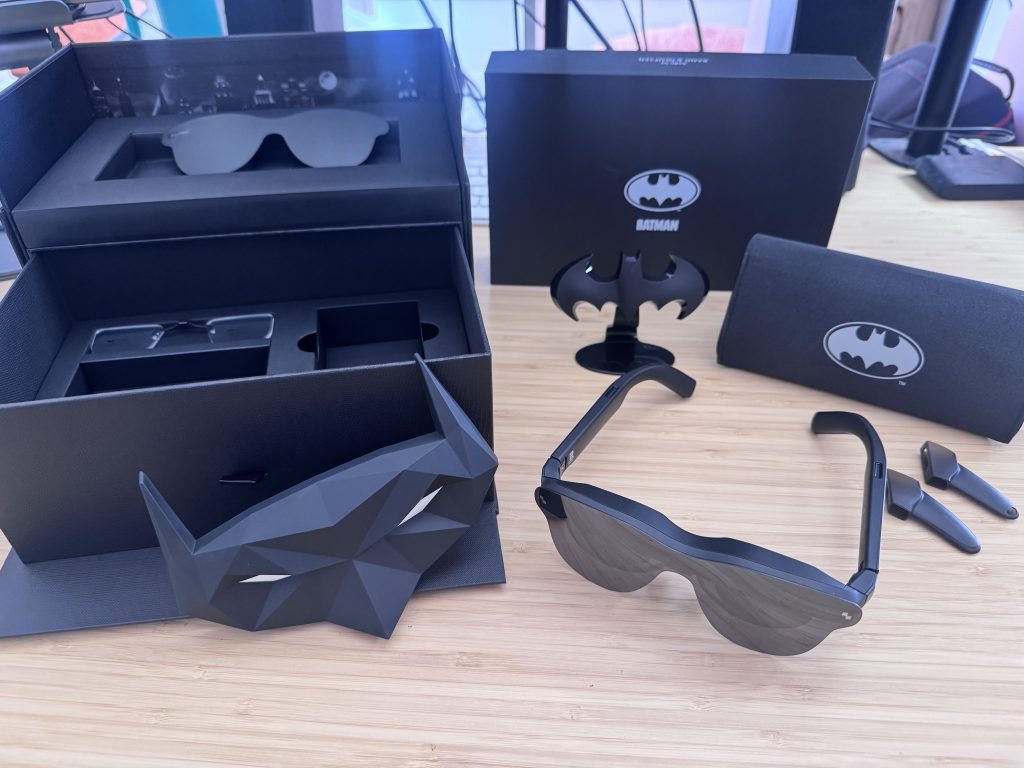
The frame temples felt tight at first, almost aggressively so. My initial instinct was to flag that as a con, but after getting used to them, it made more sense. That snug fit is by design. It’s what keeps the display stable and the experience consistent.
The bigger surprise was the viewing experience itself. Leaning back in a cramped airplane seat and watching video on what feels like a much larger virtual screen is a much different experience from hunching over my 17-inch laptop. I could actually relax in my seat and look straight ahead, which was nice for my neck muscles.
The AI 3D conversion is also worth a mention because it adds a layer of immersion that feels like a fun little bonus. It’s not necessarily a make-or-break feature, but there is arguably a more immersive viewing experience with it.
What Doesn’t Quite Hit the Mark
Face ID on iPhone is dead while wearing these. The glasses obscure enough of your face that your phone just won’t recognize you. It’s a minor inconvenience for some, and maybe a dealbreaker for others, but it’s at least worth knowing upfront.
The lenses also faintly display your screen content, which becomes a mild privacy concern in public. If you’re watching something you’d rather keep to yourself on a crowded flight (or, really anywhere), just be aware your neighbor might catch a glimpse.
Productivity is achievable, but really rather accomplished in doses, compared to extended sessions. Refocusing my eyes between my virtual second screen and my physical laptop took decent adjustment time, and it never fully disappears. If your workflow involves constant back-and-forth between displays, I’m not sure that’s the best use case for these glasses.
Gaming, too, is a lot of fun. Playing my go-tos of Fortnite, Call of Duty, and Rocket League, I felt up close and personal with the game. However, I did eventually feel a bit fatigued after about 30 minutes. It wasn’t quite at the level of VR-sickness, but — for me, at least — I’m now only really using the glasses for gaming in doses.
RayNeo Air 4 Pro at a Glance
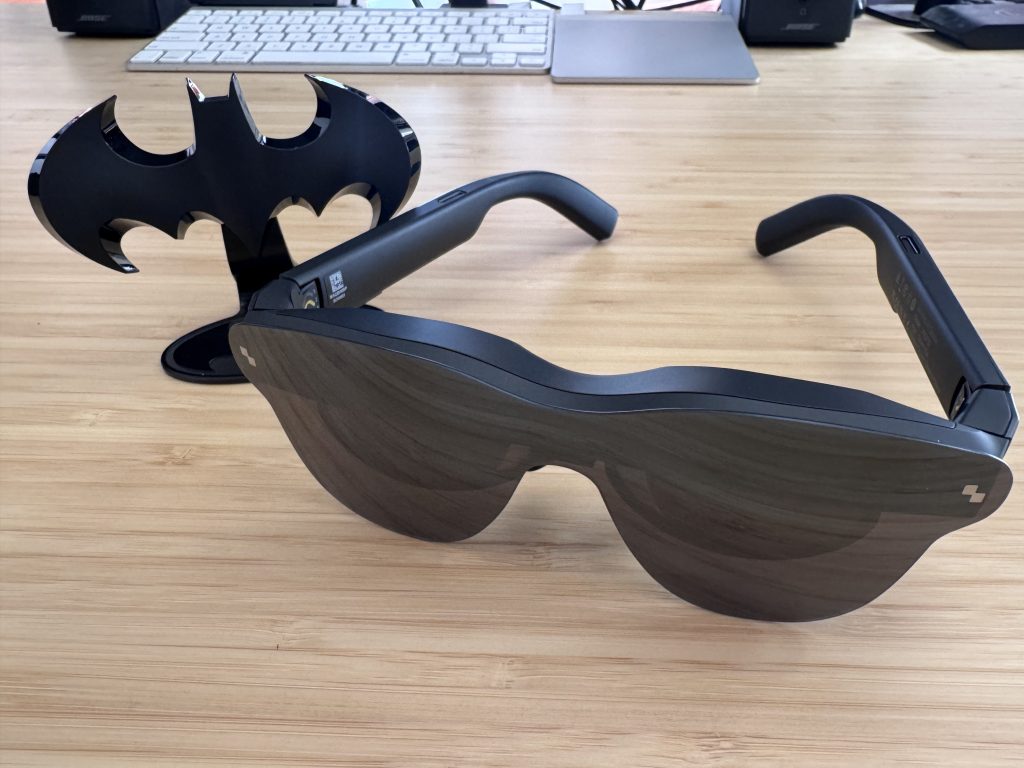
Best For: Travelers, gamers, and media enthusiasts who want a private-ish big-screen experience on the go
| Pros | Cons |
| HDR10 display is a first in the category at this price | Face ID incompatibility on iPhone |
| Plug-and-play simplicity, minimal setup | Lenses reflect screen content, limiting public privacy |
| Bang & Olufsen audio outperforms expectations | Productivity use requires eye adjustment |
| Doubles as a capable extended laptop display |
What Actually Matters When Buying Wearable Display Glasses
Before you click buy on anything in this category, it’s worth getting clear on one key distinction. Wearable displays and true AR glasses are NOT the same thing. The Air 4 Pro is the former. It overlays a virtual screen onto your field of view. It doesn’t project interactive digital elements onto the real world around you. If you’re expecting Iron Man’s HUD or something akin to Pokemon Go, that’s a different (and significantly more expensive) product category.
Why does HDR10 matter here, specifically? Because competing options at similar price points (including the XREAL 1S and the VITURE Luma) don’t offer it. HDR10 isn’t yet a standard. It’s a visual upgrade that you’ll notice on any content with strong contrast or cinematic lighting. At $299, the Air 4 Pro leads the category on this metric, and it’s not particularly close.
USB-C DisplayPort compatibility is the other thing worth understanding before you buy. The Air 4 Pro connects via USB-C, which works natively with most laptops and Android devices. iPhone users and owners of older hardware may need an adapter, which is something worth confirming against your specific setup before the box arrives. It worked just fine on my Mac laptop and iPhone 15 Pro Max, though.
This category itself is moving fast. Lighter, sharper, more capable devices are coming, but they’re also probably going to cost more. Getting in at $299 with a device that leads on display quality makes sense for early adopters who want to understand where personal display tech is heading without betting the full budget on it.
The Final Frame
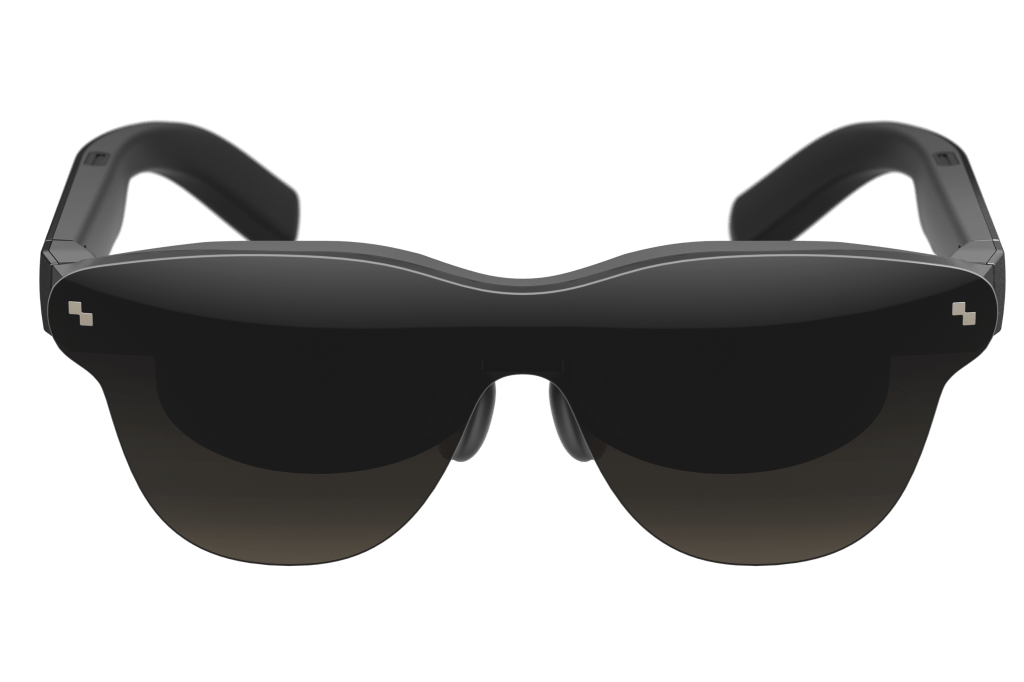
The RayNeo Air 4 Pro earns its place as the best-value entry point in wearable display glasses right now. At $299, it undercuts most competitors while leading the category on display quality. It’s not for everyone (if you’re hoping to replace a monitor for full workday use, look elsewhere). But for the traveler who wants a private theater on a long flight, the Netflix-binger who wants a personal big-screen experience, or anyone curious about where personal display tech is headed, it’s an easy recommendation.
The jury on wearable displays as a category is still out, but the Air 4 Pro makes a strong case that the verdict might be closer than we think.
A test product was provided to ComicBook for this review. The RayNeo Air 4 Pro is available now on Amazon.